
-
Français
-
 English
There are 0 item(s) in your cart
No product in shopping cart
Before the visit - Creating and using my Explore Paris account
How can I create my customer account?
After clicking on “Sign up” in the menu like below, enter your email in the field “Create an account” and follow the instructions.
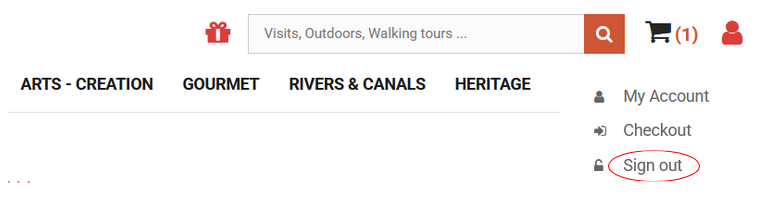
You will receive an email confirming your account creation. You can then continue your shopping on Explore Paris.
What information can I find on my Explore Paris account?
Once your customer account created, you will be able to access several sections :
- Tickets and order details: Here find your invoice and the tickets that confirm your registration to the visits, by clicking on “TICKETS” in the “Invoice” section
- Contact the after-sales service: Our customer service can be contacted using this form. They will answer all your questions about your purchases and selected tours.
- My credits slips : In case of canceled visits, you can receive credit slips according to the specific and general conditions of Explore Paris, which can be found in this section.
- My vouchers: Here find the credit slip numbers that allow you to place a new order using your credit balance. You simply have to enter the credit slip in the field “Vouchers” when you validate your order.
- My addresses: You can update your billing address by clicking on “Update” or “Add a new address”.
- My personal information: Here a form allows you to update your personal information as email, name or password.
I lost my password, how can I reset it?
Once you are on the ExploreParis website, select the “My Account” icon on the right side of the screen. In the form named “Already registered?”, click on “Forgot your password?”.
Enter the email address you used to create your account to receive a new password by email. If you don’t receive it, please check your spam folder.You can change your password anytime in the “My personal information” section of your account.
Before the visit - Searching for and booking tours or workshops
How to book a tour?
Browse through the tour calendar on the website or the Grand Paris map.
When you have chosen your tour, check its availability and add it to your cart. When the tour is in your cart click on the checkout button.
I want to sign up for a tour whose date is not yet known. How can I be notified?
The tour will appear in the tour calendar as soon as its date is set. We suggest checking the website regularly so you don’t miss it. You can also subscribe to Explore Paris' weekly newsletter to stay updated on new tours, events, and special offers.
Can I book a group reservation?
Please contact us at: groupes@exploreparis.fr
Customized private tours can be organized to visit Paris with friends or family without strangers.
Can I bring my children on a tour
It depends, please consult the description of each tour. Check out the list of visits in Paris with kids.
Where can I find the specific and general conditions of sale of Explore Paris ?
You can read the specific and general conditions of Explore Paris.
Can I be reimbursed if I do not take part in a tour I have booked ?
You only can be reimbursed if you cancel more than 15 days before the date of the tour.
How to use the discount voucher I received after the cancellation of a tour?
Before finalizing your order, enter the voucher number in the “Discount Voucher” field. This number can be found in the “My Vouchers” section of your customer account.
Before the Visit - Getting Ready for the Tour
Do I have to print out the registration confirmation to present it on the day of the tour?
No. Your name will be on a nominative list. You just need to print the details if it is a last minute registration.
When will I be informed of the meeting point for the tour I have booked?
You will receive all practical information as an attachment to an e-mail once you have paid.
Booking is required to take part in a tour due to the limited capacity of each tour.
How will I receive my ticket?
Your ticket will be attached to the registration confirmation email you receive once your payment has been processed.
You can also access your tickets in the “Tickets and order details” section of your customer account.
No tickets will be sent by post.
Who can I contact if I do not find my answers in these FAQ?
You can contact us here.